Effective communication is one of the most important factors behind a successful business. Whether employees work in the office, remotely, or in a hybrid setup, teams need reliable tools to stay connected, share updates, and collaborate efficiently. This is why investing in the right team communication software has become essential for organizations of all sizes.
However, not all communication platforms offer the same value. Businesses should carefully evaluate features that improve productivity, engagement, and collaboration. In many cases, integrating communication tools with the best employee recognition platforms can also create a stronger workplace culture and boost employee morale.
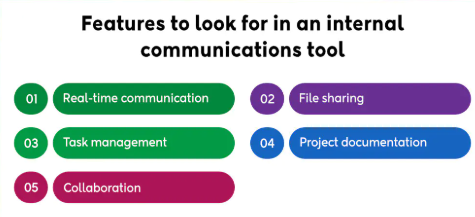
If your organization is searching for the right solution, here are the key features to look for in team communication software.
Real-Time Messaging and Instant Chat
One of the most basic but essential features of modern team communication software is real-time messaging. Employees need the ability to communicate instantly without waiting for email responses or scheduling meetings.
Direct messaging, group chats, and team channels help employees solve problems quickly, ask questions, and share updates in seconds. Instant chat reduces delays and keeps projects moving forward efficiently.
Look for software that allows organized channels for departments, projects, or topics so conversations remain structured and easy to follow.
Audio and Video Calling
With remote and hybrid work now common, communication tools must go beyond text messaging. Built-in audio and video calling features are essential for meetings, one-on-one check-ins, brainstorming sessions, and presentations.
The best team communication software should offer high-quality video conferencing, screen sharing, and meeting recording options. These features help teams collaborate face-to-face even when working from different locations.
Having calling tools integrated into the same platform also reduces the need for multiple separate apps.
File Sharing and Document Collaboration
Employees regularly need to exchange files, reports, presentations, and project documents. Strong file-sharing capabilities are a must-have feature in any communication platform.
Reliable team communication software should make it easy to upload, organize, and share files within conversations or channels. Integration with cloud storage services such as Google Drive, Microsoft 365, or Dropbox is also valuable.
Some platforms offer collaborative editing, allowing multiple employees to work on documents together in real time. This improves teamwork and reduces version control issues.
Searchable Message History
As conversations grow over time, employees need a simple way to find previous discussions, files, or decisions. Searchable message history is one of the most practical features to look for.
Quality team communication software should include advanced search tools that let users find keywords, attachments, dates, or specific messages quickly. This saves time and prevents repeated questions.
Instead of digging through old email threads, employees can instantly locate the information they need.
Mobile Accessibility
Today’s workforce is increasingly mobile. Employees may need to communicate while traveling, working remotely, or moving between job sites. That is why mobile access is a crucial feature.
The best team communication software should include user-friendly mobile apps for both Android and iOS devices. Mobile access ensures employees stay informed, receive notifications, join meetings, and respond to urgent messages anytime.
This is especially important for frontline workers, field staff, and hybrid teams.
Integration with Business Tools
Most organizations already use tools for project management, CRM, HR, calendars, and file storage. Strong integration capabilities help communication software fit naturally into existing workflows.
Choose team communication software that connects with apps your business already relies on. Popular integrations may include Microsoft Teams, Google Workspace, Trello, Asana, Zoom, Salesforce, or HR systems.
When communication tools connect with daily workflows, employees save time and improve efficiency.
Security and Data Protection
Business communication often includes sensitive information such as financial updates, client details, employee records, or confidential plans. Security should always be a top priority.
Reliable team communication software should offer data encryption, user permissions, secure logins, and compliance with relevant data privacy standards. Admin controls are also important for managing users and protecting company information.
Choosing secure software helps protect your organization from data risks.
Employee Recognition Features
Communication tools should not only support tasks—they should also help build a positive culture. Recognition is a major driver of engagement and retention, which is why many businesses now combine communication platforms with the best employee recognition platforms.
Some modern communication tools include built-in recognition features such as shout-outs, badges, peer appreciation, rewards, and milestone celebrations. These features allow managers and coworkers to recognize great work publicly.
When employees feel appreciated, they are more motivated, loyal, and productive. Integrating communication with the best employee recognition platforms creates a stronger and more connected workplace.
Custom Notifications and Alerts
Too many notifications can become distracting, while too few may cause missed updates. Good communication software should let employees customize alerts based on their role and preferences.
Look for tools that allow notification settings for priority messages, project updates, mentions, or urgent announcements. Personalized alerts help employees stay focused while remaining informed.
Scalability and Ease of Use
As your business grows, your communication needs will evolve. Choose team communication software that can scale with your company by supporting more users, departments, and advanced features over time.
At the same time, the platform should be simple and intuitive. Employees are more likely to adopt tools that are easy to learn and use daily.
Final Thoughts
Selecting the right team communication software can transform the way your organization works. Features such as instant messaging, video meetings, mobile access, integrations, file sharing, and strong security all contribute to better collaboration and productivity.
To create an even stronger workplace culture, businesses should also consider solutions that connect with the best employee recognition platforms. Combining communication and recognition helps teams feel informed, appreciated, and engaged.
By focusing on the right features, organizations can choose software that supports growth, strengthens teamwork, and improves the overall employee experience